This document contains a visual interface for my Go60 split keyboard. The
keyboard is configured with 4 layers and based on the ZMK
open-source keyboard firmware. If you are interested, you can find the firmware
with my config in the
MoErgo website.
The problem with muscle memory is the memory part.
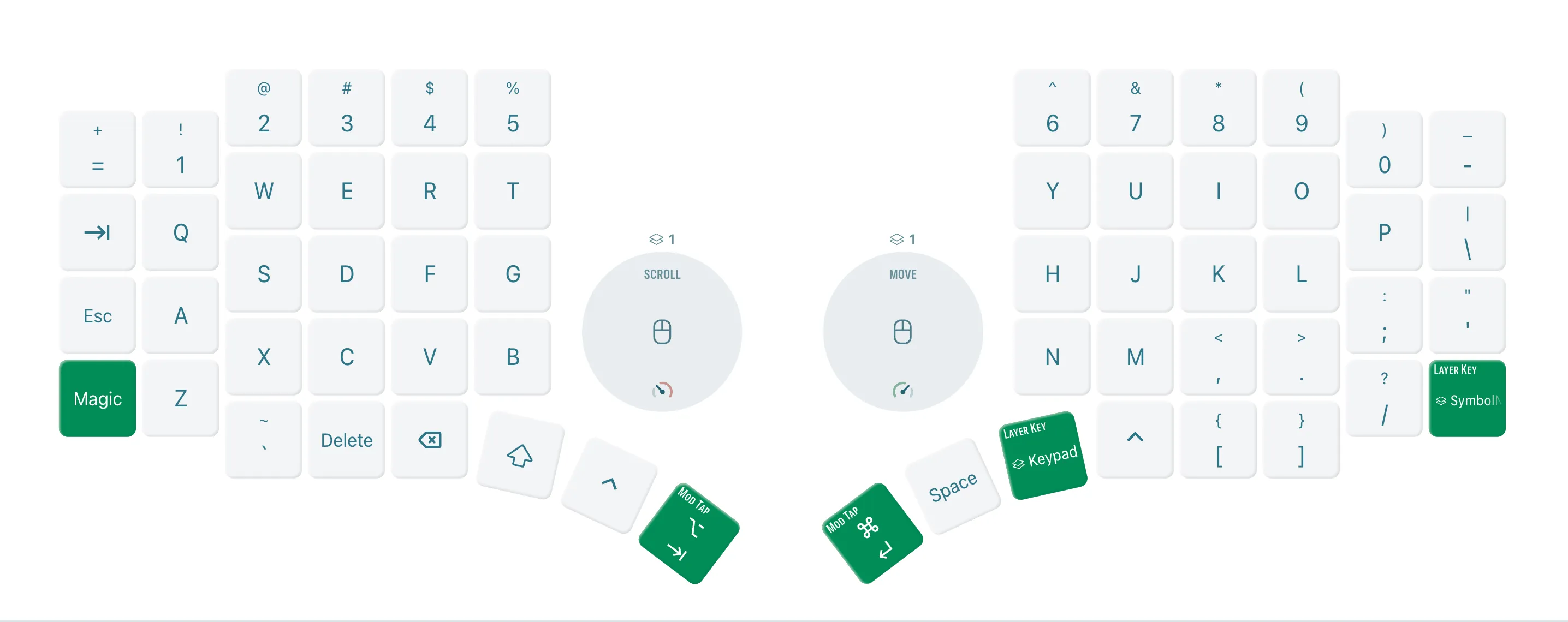
Default layer
Figure 1: The first layer is contains all the most commonly used characters to write code or phrases.
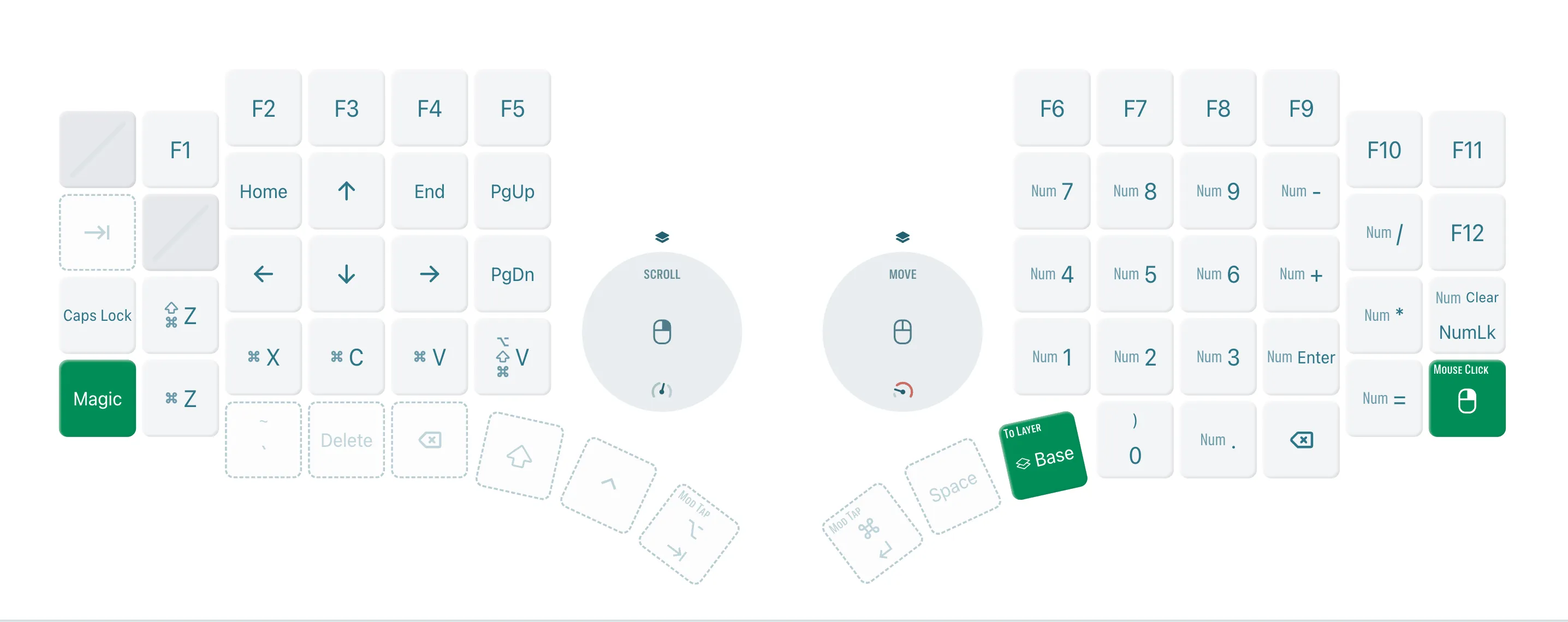
Symbols layer
Figure 2: In the second layer there are all the numbers and the moving arrows.
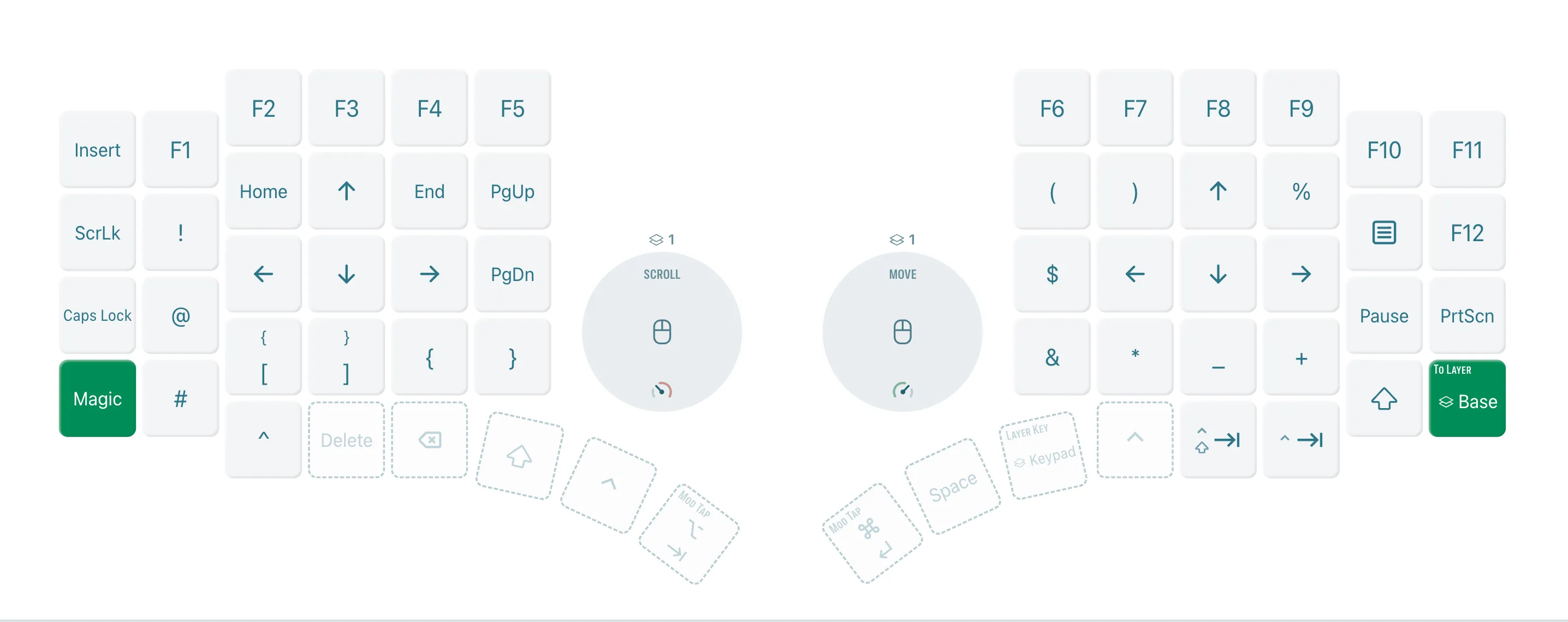
Layer 2
Figure 3: This layer, well, I never use it but it was already in the default configuration. I kept it because it had the moving arrows on both sides of the keyboard.
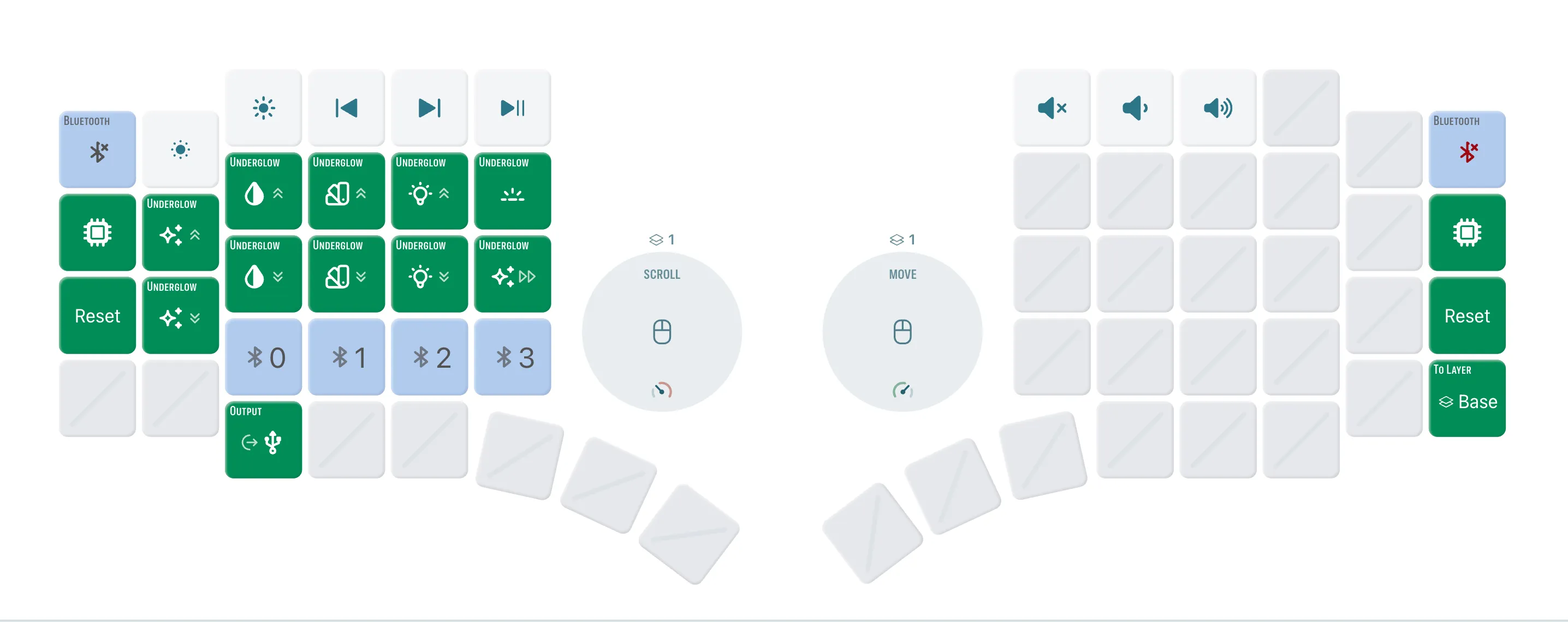
Layer 3
Figure 4: This layer contains all the utility commands to control keyboard behavior, media, or the bluetooth.